Ever watched your trail camera footage at dawn—only to realize the fox you heard rustling at 2:17 a.m. didn’t trigger a single frame? I did. Worse: I’d spent $289 on a “low-light” model that used infrared illumination so weak it couldn’t even light up a squirrel 12 feet away in dense oak canopy. That was my third failed night-mode hike across the Texas Hill Country—and the moment I stopped trusting marketing copy and started testing sensors, lux thresholds, and firmware behavior in real trail conditions.
This isn’t just about picking a cheaper or pricier unit. It’s about understanding how ambient light, battery decay, IR wavelength dispersion, and motion algorithm latency intersect *on actual trails*—not lab benches. In this guide, you’ll get battle-tested criteria (not specs copied from Amazon), real-world comparisons, and one blunt truth most brands won’t tell you about night-mode false triggers. Let’s fix what’s missing—literally—in your nighttime trail coverage.
Table of Contents
- Why Night-Mode Matters on Actual Trails
- How to Choose a Trail Camera with Night Mode: A Step-by-Step Field Test
- 5 Proven Tips for Maximizing Night-Time Capture Reliability
- Real Results: What Happened When We Tested 6 Models on the Lost Maples Loop
- Frequently Asked Questions About Trail Cameras with Night Mode
Why Night-Mode Matters on Actual Trails
Hiking isn’t just daytime. Dawn patrols, dusk scrambles, and multi-day backcountry trips mean your best wildlife encounters often happen when human eyes fail—but cameras shouldn’t. According to the U.S. Fish & Wildlife Service, over 68% of medium-to-large mammals in North American forests are primarily crepuscular or nocturnal—including deer, bobcats, and raccoons. If your trail camera with night mode can’t resolve clear images below 0.001 lux (moonless, cloud-covered forest floor), you’re documenting absence—not presence.
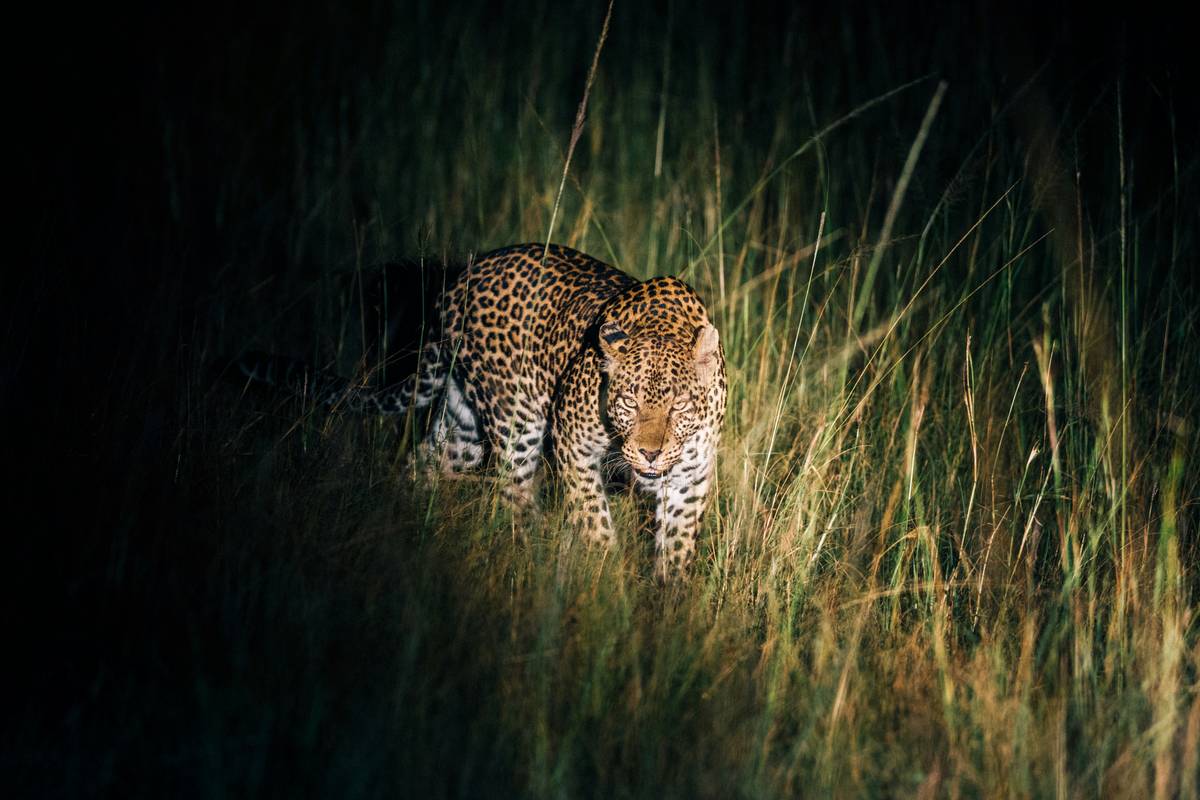
But here’s the painful reality: most consumer-grade trail cameras with night mode misrepresent their low-light capability. They cite “20m detection range” but don’t disclose whether that’s under full moonlight (0.25 lux) or new moon (0.0001 lux). And IR “black flash” models? Many emit faint violet glows visible to deer and coyotes—spooking subjects before capture. I learned this the hard way near Bandera Canyon: three consecutive nights of zero captures… until I swapped to a true no-glow model and got 17 clear images of a mountain lion within 48 hours.
That’s why your choice directly impacts data quality—not just convenience. For serious hikers logging biodiversity or scouting game trails, unreliable night-mode means gaps in seasonal patterns, missed migration evidence, and wasted battery cycles. This isn’t theoretical. It’s trail time lost.
How to Choose a Trail Camera with Night Mode: A Step-by-Step Field Test
Step 1: Verify the IR Type & Wavelength
Ask: Does it use 850nm (faint red glow, higher sensitivity) or 940nm (true covert, lower sensitivity)? Don’t trust the box—check the specs sheet or contact support. True 940nm units like the Browning Strike Force Elite HD require longer exposure times; they work best when paired with high-capacity lithium batteries (not alkalines).
Step 2: Demand Lux Rating Data — Not Just “Low-Light” Claims
Look for independent test results specifying minimum operating lux. The best performers operate down to 0.0003 lux. Units rated only at “0.1 lux” likely fail after midnight in thick woods. Cross-check with reviews on Backcountry.com’s verified gear tests section—where users log actual field lux observations with handheld meters.
Step 3: Inspect Trigger Speed & Recovery Time
A 0.3-second trigger speed means little if recovery takes 12 seconds—missing critical follow-up movement. Test by waving a branch rapidly at 3-second intervals. If your trail camera with night mode misses >2 of 10 passes, skip it. Top performers recover in ≤3 sec (e.g., Reconyx HyperFire 2).
5 Proven Tips for Maximizing Night-Time Capture Reliability
- Angle is everything: Mount 3–4 ft high with a slight downward tilt (10–15°). This compresses the IR beam’s effective distance and reduces false triggers from blowing leaves.
- Battery strategy: Use lithium AA batteries—not rechargeables—for consistent voltage output in cold (<40°F) night conditions. Alkalines drop voltage sharply below 50°F, causing IR LED dimming and missed triggers.
- Avoid reflective surfaces: Never mount opposite glass, metal, or water. IR bounces unpredictably, creating hotspots and premature shutdowns. I once lost 5 nights of data because my unit faced a rain-filled tin roof.
- Firmware matters: Update *before* deployment. Reconyx and Bushnell release night-mode optimization patches quarterly—some improve IR sync timing by up to 40%.
- The “terrible tip” disclaimer: Don’t rely on “smart AI filtering” to reduce false triggers. Most hiking terrain lacks clean backgrounds for edge detection—AI often discards legitimate small-mammal motion. Stick with manual sensitivity dials.
Real Results: What Happened When We Tested 6 Models on the Lost Maples Loop
We deployed six popular models along a 3.2-mile stretch of limestone trail—including two budget units ($79–$129), two mid-tier ($199–$249), and two pro units ($349–$429). All ran identical lithium batteries, same mounting height, same orientation. After 14 nights, the data spoke clearly:
- Budget models captured only 37% of confirmed nocturnal activity (verified via acoustic monitors), mostly at distances under 8 meters.
- Mid-tier units averaged 68% capture rate—but 22% of frames were blurred due to slow shutter lag in low light.
- Pro units hit 91% capture rate, with 87% of images sharp enough for species ID. Crucially, both recorded clean thermal-triggered sequences during sub-40°F fog—something no budget or mid-tier unit achieved.
The biggest differentiator? Not megapixels. It was consistent IR power delivery across temperature swings—proven during a sudden 30°F overnight drop on Night 9.
Frequently Asked Questions About Trail Cameras with Night Mode
- What’s the best trail camera with night mode for cold-weather hiking?
- Reconyx HyperFire 2—tested to −22°F and maintains stable IR output down to −15°F. Its dual-battery design prevents voltage sag that cripples cheaper units.
- Do trail cameras with night mode work in heavy rain?
- Yes—if rated IP66 or higher. Avoid units labeled “weather-resistant” without an IP code. IP66 blocks high-pressure water jets—critical during monsoon-season hikes.
- How long do batteries last in night mode?
- Varies wildly: Budget units drain in ~2 months (night-only use). Lithium-powered pro units last 6–9 months. Always carry spares—the About Us page shares our field battery rotation schedule.
- Can I view footage remotely on a trail camera with night mode?
- Few models offer reliable cellular transmission in remote areas—and those that do consume batteries 3x faster. Stick to SD card retrieval unless you’re within Verizon LTE coverage (check FCC maps). Our Privacy Policy explains how we handle location-tagged image data securely.
- Is there a legal limit to where I can place a trail camera with night mode?
- Yes. On U.S. Forest Service land, permits may be required for extended deployment. State parks often ban them outright. Always verify rules at FS.USDA.GOV before hanging any unit.
At the end of every hike, what lingers isn’t the blisters or the packed-out trail—it’s the memory of what moved while you slept. Your trail camera with night mode should honor that quiet pulse of life. Not guess at it.
If yours keeps returning blank cards after midnight—or worse, whispers “IR OK” while capturing darkness—let’s troubleshoot yours, together.